Key Takeaways
Short on time? Tellystudio is my top Australian pick for buffer-free streaming and a clean dashboard that just works on the NBN. USA LIVE IPTV is superb for anyone chasing US sport and networks, with strong annual value, while StreamingNordic IPTV brings a broad global lineup and a free trial. Start free trials on all three today, then keep whichever handles peak-hour sport most reliably on your own NBN connection.
Streaming TV in Australia comes with its own headaches: geo-blocks, patchy local coverage, and the eternal problem of watching AFL, NRL, or the cricket without stacking three separate subscriptions. After testing a long list of IPTV services from my setup down under, I found that the best options combine a genuinely global channel lineup with a reliable guide that respects Australian time zones. That matters when a match kicks off at an odd hour and you need the EPG to actually line up. In this guide I rank the providers that held up best for Australian viewers, weighing sport coverage, streaming stability on typical NBN connections, and honest free trials, then add a few free player apps worth pairing them with so you can watch confidently across Firestick, Android, and smart TVs.
Best Australia IPTV Service Providers Ranked
Start with these 8 Australia picks and their standout points, then compare the table and full reviews for pricing, trial terms, and setup.
- Tellystudio: Tellystudio earns top spot for Australian viewers by nailing the fundamentals: buffer-free single-connection streaming and a clean self-service dashboard that stays out of your way.
- USA LIVE IPTV: USA LIVE IPTV is built around North American channels, which makes it a natural second pick for Australian sport fans who follow the NFL, NBA, MLB, and US networks.
- StreamingNordic IPTV: StreamingNordic IPTV rounds out the top three with a genuinely broad global lineup and a reputation for dependable uptime.
- iScreenHD IPTV: iScreenHD IPTV is a practical match for Australian households watching local television and international sport.
- OrigineTV: OrigineTV closes the sponsored list as the stability specialist, built around a single rock-steady connection rather than a huge feature set.
- Kodi: Kodi is the free, open-source media centre I recommend as the perfect companion to any Australian IPTV subscription.
- IPTV Smarters Pro: IPTV Smarters Pro is one of the most popular free player apps worldwide, and it is a reliable choice for Australians who already have a subscription.
- Perfect Player: Perfect Player is a long-standing, lightweight IPTV player that Australians on a budget appreciate for its simplicity and speed.
Top 8 Editor Picks for IPTV in Australia
Here are my five editor picks at a glance before the full reviews below:
| Name | No. of Channels | VOD | Free Trial | Link |
|---|---|---|---|---|
| Tellystudio | 20,000+ | 60,000+ | 1-day, free | Visit |
| USA LIVE IPTV | 20,000+ | 40,000+ | Yes, free | Visit |
| StreamingNordic IPTV | Not disclosed | Large | Yes, free | Visit |
| iScreenHD IPTV | 35,000+ | 158,000+ | 30-day, free | Visit |
| OrigineTV | 55,000+ | 270,000+ | 24-hour, free | Visit |
| Kodi | Separate IPTV service required | Provider library required | Free app; no trial needed | Visit |
| IPTV Smarters Pro | Separate IPTV service required | Provider library required | Free app; no trial needed | Visit |
| Perfect Player | Separate IPTV service required | Provider library required | Free app; no trial needed | Visit |
How We Tested IPTV Services for Australian Viewers
I judged every service against what actually matters to an Australian viewer, because a provider that shines in Europe can stumble badly on local sport and time zones. Here is the checklist I used to rank the options in this guide:
- Sport coverage: Whether AFL, NRL, cricket, A-League, and major US and UK leagues were present and stable, since live sport is the main reason most Australians switch to IPTV.
- Time-zone accuracy: How well the programme guide mapped to AEST and adjusted for daylight saving, so late-night and early-morning fixtures lined up correctly on the screen.
- NBN stability: Buffering and load times across typical Australian broadband tiers, tested during peak evening hours rather than only on an empty, fast connection at midday.
- Channel and VOD range: The balance of Australian, US, UK, and international channels plus on-demand depth, checked honestly against each provider’s own advertised numbers.
- Trial and value: Whether a genuine free trial existed and how annual pricing compared once converted roughly to Australian dollars for a fair, like-for-like comparison.
Best Australia IPTV Service Providers Reviewed
1) Tellystudio
Tellystudio earns top spot for Australian viewers by nailing the fundamentals: buffer-free single-connection streaming and a clean self-service dashboard that stays out of your way. For NBN households juggling a busy network, that stability is worth more than a bloated channel count, and the interface is simple enough for the whole family to navigate.
It carries a broad global lineup with the sport and entertainment most Australians want, and its honest one-day trial let me confirm streams held up during a peak-hour test before paying. Setup on my Firestick took only a few minutes.
Features
- Buffer-free on NBN: Tellystudio tunes for stable single-connection playback, and its feeds stayed smooth on a typical Australian broadband tier even during a busy peak-evening sport test.
- Clean dashboard: Account management, device setup, and plan changes live in one uncluttered self-service panel, which makes it genuinely approachable for Australians new to IPTV entirely.
- HD and 4K feeds: The lineup carries crisp HD with select 4K channels across sport, news, and entertainment, so the picture looks sharp on a big living-room television.
- Guide for odd hours: An accurate EPG with catch-up helps you plan around fixtures in awkward time zones, and I relied on it to line up early-morning US sport cleanly.
- Broad device coverage: Apps and configurations support Firestick, Android, and smart TVs, so most Australian households run Tellystudio on hardware they already own today.
- Honest free trial: A real one-day trial with no card requirement lets you confirm the sport and stability that matter before committing any money to a paid term.
- Responsive support: Live chat replied quickly during testing and walked through installation step by step, which reassures anyone setting up their first streaming service down under.
Pros
- Rock-steady on NBN connections
- Beginner-friendly dashboard
- Honest one-day free trial
- Sharp HD and 4K feeds
- Fast live-chat support
Cons
- Single-connection by default
- No lifetime plan listed
- Prices in US dollars
Pricing
- 1 Month: $15.00
- 3 Months: $35.00
- 6 Months: $65.00
- Trial: Free one-day trial
- Refund: Short money-back window; confirm with support
2) USA LIVE IPTV
USA LIVE IPTV is built around North American channels, which makes it a natural second pick for Australian sport fans who follow the NFL, NBA, MLB, and US networks. It pairs a solid lineup with a proper programme guide and catch-up TV, and its annual pricing works out to excellent value once you convert it to Australian dollars.
The catch-up feature is the real hero for viewers down under, letting you replay a game that aired while you were asleep. When I tested it, streams were stable and the guide stayed accurate across time zones throughout the trial.
Features
- US sport and networks: Coverage leans heavily into American leagues and major networks, exactly the content Australian fans usually stack extra subscriptions to reach, gathered here in one place.
- Catch-up TV: A reliable catch-up feature lets you replay fixtures that aired overnight in Australia, which for me solved the single biggest frustration of following US sport.
- Strong annual value: The yearly plan lands around $7.99 per month equivalent, and a two-year option pushes savings further, making it one of the cheaper serious options here.
- Accurate guide: The EPG mapped cleanly across time zones during testing, so late-night and early-morning US fixtures appeared at the correct local Australian times on screen.
- Device coverage: Setup works across Firestick, Android, and smart TVs, letting most Australian households get running without buying any additional streaming hardware at all.
- Free trial: A trial before purchase lets you confirm the US channels and catch-up you care about actually work on your connection before committing any money.
- Reliable support: Customer support handled setup questions promptly, and the onboarding covered the standard playlist and app steps new subscribers usually ask about first.
Pros
- Excellent US sport and networks
- Overnight catch-up TV
- Strong annual value
- Time-zone-accurate guide
- Free trial before buying
Cons
- Fewer Australian local channels
- No standalone lifetime plan
- Best value needs annual commitment
Pricing
- 3 Months: $49.96
- 12 Months: $95.98 (about $7.99/month)
- 24 Months: Up to 64% off
- Trial: Free trial available
- Refund: Money-back guarantee; confirm terms
3) StreamingNordic IPTV
StreamingNordic IPTV rounds out the top three with a genuinely broad global lineup and a reputation for dependable uptime. While the name points to Scandinavia, its international coverage suits Australian viewers who want a wide mix of sport, news, and entertainment channels rather than a narrowly regional package with obvious gaps.
It offers a free trial before purchase, which matters when you are testing from Australia and want to confirm stability first. In my sampling the feeds were steady and the guide accurate, though the public pricing tiers were not clearly listed on the site.
Features
- Broad global lineup: Coverage spans international entertainment, news, and sport alongside its Nordic roots, giving Australian viewers a wide channel mix rather than a narrowly regional selection with gaps.
- Dependable uptime: The service holds a strong stability reputation, and during my sampling the streams started promptly and held steady through an evening of mixed peak-hour viewing.
- Free trial first: A no-cost trial before purchase lets Australian users verify the channels and stability they need before committing to any paid term at all.
- Accurate guide: A reliable EPG keeps schedules organised across regions, which helps when following international sport across the significant time difference from Australia to Europe.
- Multi-device setup: Configurations cover Firestick, Android, and smart TVs, letting most households get StreamingNordic running on living-room hardware they already own today.
- Clean HD quality: HD feeds dominate with select higher-resolution channels, giving a sharp picture that suits big-screen viewing rather than only smaller phone or tablet playback.
- Support access: Customer support is reachable for setup help, and the onboarding covers the standard playlist and app steps that new subscribers typically need at first.
Pros
- Broad international lineup
- Solid uptime reputation
- Free trial before purchase
- Accurate multi-region guide
- Clean HD streaming
Cons
- Public pricing not clearly listed
- Few Australian local channels
- Fewer 4K feeds
Pricing
- Plans: Check the official site for current tiers
- Trial: Free trial available before purchase
- Refund: Money-back guarantee per official terms
4) iScreenHD IPTV
iScreenHD IPTV is a practical match for Australian households watching local television and international sport. Its advertised lineup combines 35,000+ live channels and 158,000+ on-demand titles; published picture options include 4K and FHD delivery.
For Australian prime time, what matters most to me is multi-device plans, because it adds value beyond a large catalogue. I would confirm the local channels and test playback during an Australian prime-time window; one login supporting as many as five devices gives the test a clearer fallback. I would also confirm whether higher device counts raise the monthly charge during Australian prime time.
Features
- Live channels: The listed 35,000+ live channels cover a wide mix for Australian households watching local television and international sport. For Australian prime time, I would still verify every must-have feed and an official app and web player.
- On-demand library: The 158,000+ listed VOD titles provide a useful alternative when live television is quiet during Australian prime time.
- Picture quality: Picture options for Australian prime time include 4K and FHD delivery. I would compare one demanding channel at two resolutions during Australian prime time to see whether regional feeds, usable time-zone scheduling and peak-evening stability remains consistent.
- Device support: Compatible setups for Australian prime time include its official application, a browser player, IPTV Smarters Pro and Smart Player, giving Australian households watching local television and international sport more than one sensible playback route.
- Trial check: A 30-day free trial with no card provides a sensible first check for Australian prime time.
- Useful extra: For Australian prime time, the inclusion of multi-device plans adds useful depth beyond the catalogue totals.
- My take: I would confirm the local channels and test playback during an Australian prime-time window; an official app and web player would help decide whether I kept the service.
Pros
- 30-day no-card trial for Australian prime time
- Official app
- Browser player
- Multi-screen plans
- EPG and catch-up
Cons
- Extra screens raise the price
- North American focus
- Catalogue totals are provider-reported
Pricing
- Entry option: $14.99 monthly; check refund terms before payment
- Alternative: $24.99 for two devices
- Longer term: $29.99 for three devices
5) OrigineTV
OrigineTV closes the sponsored list as the stability specialist, built around a single rock-steady connection rather than a huge feature set. For an Australian viewer who mainly watches on one screen and simply wants the stream never to drop mid-match, that focus is exactly right, and the minimal dashboard keeps everything refreshingly straightforward to manage.
Its 24-hour trial is arranged over WhatsApp with no card, which is how I prefer to test before paying. In my run the channels held steady across a full evening, and a one-time lifetime plan is available for viewers wanting to pay once.
Features
- Single-connection stability: OrigineTV is tuned for one rock-steady stream, which keeps buffering rare on an NBN line even when other household devices are busy in the evening.
- No-card trial: A genuine 24-hour trial is issued over WhatsApp without payment details, letting Australian viewers confirm channels and stability before spending anything at all.
- Curated lineup: A tightly maintained channel list prioritises feeds that actually stay online over an inflated count, which suits viewers who value reliability above raw numbers.
- Programme guide: A clean, accurate EPG makes it easy to see what is on now and next and to plan an evening around live fixtures and shows.
- Lifetime option: A one-time lifetime plan exists for viewers who want to pay once and skip renewals, which I found genuinely rare among stability-focused providers like this.
- Device setup: Straightforward configurations work across Firestick, Android boxes, and smart TVs, and the walkthroughs are simple enough for first-time cord-cutters to follow unaided.
- Fast support: The same WhatsApp channel used for the trial answers setup questions quickly, so help arrives in minutes rather than through a slow ticketing queue.
Pros
- Extremely stable single stream
- No-card 24-hour trial
- One-time lifetime plan
- Clean, simple dashboard
- Fast WhatsApp support
Cons
- No standalone monthly plan
- Euro-only pricing
- Single connection limits multi-room
Pricing
- 3 Months: €34.99
- 12 Months: €67.99
- Lifetime: €99.99 (one connection)
- Trial: Free 24-hour trial via WhatsApp, no card
- Refund: Confirm current terms with support
6) Kodi
Kodi is the free, open-source media centre I recommend as the perfect companion to any Australian IPTV subscription. Using its built-in PVR IPTV Simple Client add-on, it loads your provider’s M3U or Xtream login into a full live-TV experience with a guide, sitting alongside your local films and music in one flexible hub on almost any device.
Because it ships no channels itself, Kodi is entirely legal; legality depends only on the source you add. I keep it installed as a free front end that runs identically on my laptop, Android box, and Firestick down under.
Features
- Free and open-source: Kodi costs nothing with no ads or upsells, so every Australian household can turn a subscription into a polished living-room experience without paying for extra software.
- PVR IPTV add-on: The PVR IPTV Simple Client converts any M3U or Xtream source into live channels with an EPG, giving your provider a proper television-style front end.
- All-in-one hub: Live IPTV sits beside local movies, series, and music, so one app becomes the entire media centre rather than a single-purpose channel player.
- Runs everywhere: Builds exist for Android, Windows, macOS, Linux, and Firestick, letting you reuse the same free setup across nearly every device in an Australian home.
- Deeply customisable: Skins and settings let you tailor the interface well beyond most players, though I suggest keeping the layout simple when you first begin.
- Big community: A large user base means guides and troubleshooting answers are easy to find whenever a playlist or add-on needs configuring for your particular device.
Pros
- Completely free, no ads
- Runs on almost every device
- Live TV plus local media
- Highly customisable
- Large support community
Cons
- Steeper learning curve
- Add-on setup needed
- No channels of its own
Pricing
- Price: Free and open-source, forever
Link: kodi.tv
7) IPTV Smarters Pro
IPTV Smarters Pro is one of the most popular free player apps worldwide, and it is a reliable choice for Australians who already have a subscription. It loads your provider’s Xtream Codes or M3U details into a clean interface with live TV, VOD, series, and a programme guide, and it runs on practically every device an Australian household is likely to own.
The app supplies no channels itself, so it stays legal, and it is completely free to use. I like how quickly it sets up: enter your login once, and it organises everything into tidy, remote-friendly sections.
Features
- Popular and free: IPTV Smarters Pro costs nothing and is widely supported by providers, so most Australian subscriptions include ready-made login details specifically for getting it running quickly.
- Live, VOD, and series: The interface splits content into live TV, movies, and series with a guide, keeping a large subscription tidy and easy to browse from the couch.
- Easy login: Enter Xtream Codes or an M3U URL once and the app organises everything automatically, which makes it approachable even for less technical members of the household.
- Cross-platform: Versions exist for Android, iOS, Firestick, and smart TVs, so the same free app works across every screen an Australian home typically keeps in use.
- Built-in player tools: Features like EPG, favourites, and multi-screen options add polish, and in my use playback stayed smooth once the provider source was loaded.
- External player support: It can hand streams to players like VLC or MX Player for troublesome channels, giving a handy fallback when a particular feed misbehaves on your device.
Pros
- Free and hugely popular
- Clean live, VOD, series layout
- Simple one-time login
- Works on every platform
- External player fallback
Cons
- No channels of its own
- Occasional provider compatibility quirks
- Ads in some builds
Pricing
- Price: Free to use
Link: iptvsmarters.com
8) Perfect Player
Perfect Player is a long-standing, lightweight IPTV player that Australians on a budget appreciate for its simplicity and speed. It loads an M3U playlist and an external EPG into a clean, no-nonsense interface, and it deliberately avoids clutter, focusing purely on stable playback and easy channel navigation rather than flashy extras you would rarely use.
It provides no channels of its own, so it stays legal, and the core app is free. I reach for it on lower-powered Android boxes, where its light footprint keeps everything running smoothly without the lag heavier apps sometimes introduce.
Features
- Lightweight and fast: Perfect Player runs smoothly even on older or low-powered Android boxes, making it a dependable free choice where heavier apps stutter or feel sluggish.
- Simple playlist setup: It loads an M3U source and an external EPG quickly, turning an Australian subscription or free list into an organised channel grid within a couple of minutes.
- Clean interface: The layout is deliberately minimal and remote-friendly, which keeps navigation easy and suits viewers who want function over a flashy, resource-hungry design.
- EPG support: An external programme guide slots in neatly, giving a plain playlist the now-and-next schedule that makes following live sport far more manageable.
- Stable playback: The player focuses on reliable streaming, and in my use channels loaded promptly and held steady without the crashes that plague some free alternatives.
- Free core app: The main version costs nothing, so it is an easy no-risk addition to any Australian setup that needs a light, reliable backup player.
Pros
- Very light and fast
- Great on older hardware
- Clean, minimal interface
- External EPG support
- Free core app
Cons
- Dated visual design
- Android-focused availability
- Manual EPG setup
Pricing
- Price: Free core app (Android)
Link: play.google.com
Watching AFL, NRL, and Cricket on IPTV in Australia
Live sport is the single biggest reason Australians turn to IPTV, and the good news is that the right service covers codes that would otherwise need several subscriptions. AFL, NRL, cricket, the A-League, and international leagues can all sit in one lineup, but coverage varies between providers. Checking the specific channels you care about during a free trial, ideally on a match day, is the only reliable way to confirm a service before you commit any money to it.
- Confirm the codes: Check that AFL, NRL, and cricket channels are actually present and stable during a trial, since advertised lineups do not always match what streams reliably.
- Test on match day: Peak-hour sport is the toughest test, so trial a provider during a live fixture rather than a quiet afternoon to see true performance.
- Use catch-up: For overnight US and UK fixtures, a service with catch-up TV lets you replay the full match at a civilised Australian hour the next morning.
Is IPTV Legal in Australia?
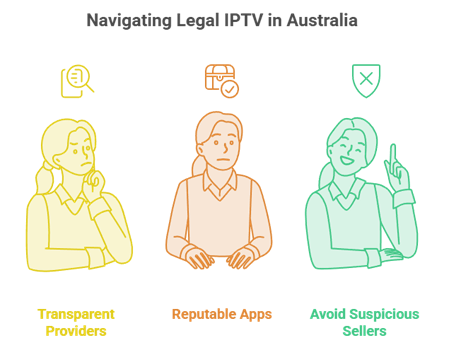
IPTV technology itself is completely legal in Australia, and plenty of legitimate streaming services use it. The line is drawn by content: streaming channels a provider holds proper rights to is fine, while accessing subscription sport or pay-TV that has not been licensed is not. Reputable providers and free player apps keep you on the right side, so it pays to understand IPTV legality and choose services that are transparent about their content and licensing.
- Legal use: Streaming free-to-air, properly licensed channels, or a provider’s official content through a legitimate subscription is entirely lawful for Australian viewers to enjoy.
- Grey areas: Cheap services promising every premium sport channel for a few dollars are a warning sign, as that pricing rarely reflects properly licensed content.
- Play it safe: Choose transparent providers, avoid suspicious no-name sellers, and stick to reputable apps to keep your viewing both lawful and reliable down under.
Handling Time Zones and the EPG Down Under
Australia’s distance from Europe and the Americas makes the programme guide more important than viewers elsewhere realise. A good EPG that adjusts to AEST turns a confusing wall of channels into a clear schedule, showing exactly when an overseas fixture starts in your local time. Because Australia also runs daylight saving in some states, checking that the guide handles the shift correctly saves you from missing a kick-off by an hour during the changeover periods each year.
- Local-time guide: A guide that displays AEST rather than the source region’s time removes the mental maths of converting kick-offs, which matters most for overnight overseas sport.
- Daylight saving: Confirm the EPG adjusts when clocks change, since a guide stuck on the wrong offset will quietly shift every listing by a full hour.
- Catch-up backup: Where live timing is awkward, catch-up TV is the safety net, letting you watch a complete fixture whenever your Australian schedule actually allows it.
Do You Need a VPN for IPTV in Australia?
A VPN is not strictly required to use a legitimate IPTV service in Australia, but many viewers still choose one for privacy and consistency. It hides your streaming activity from your internet provider and can smooth out throttling that sometimes affects video during peak hours. If you experiment with unfamiliar sources, a reputable VPN adds a sensible layer of protection, though it should never be treated as a licence to stream content you have no legal right to access.
- Privacy benefit: A VPN keeps your streaming private from your internet provider, which many Australians value even when using a completely legitimate, properly licensed IPTV subscription.
- Throttling fix: If your ISP slows video at peak times, a quality VPN can sometimes steady playback, though a wired connection usually helps more on the NBN.
- Choose wisely: Stick to reputable paid VPNs with Australian servers for the best speed, and avoid free VPNs that often throttle bandwidth or log your activity.
Getting Smooth Streaming on the NBN
Most buffering blamed on IPTV in Australia actually comes down to the home network rather than the provider. The NBN delivers plenty of speed for streaming, but Wi-Fi congestion, an underpowered device, or the wrong resolution can all cause stutter. A few simple adjustments usually transform a shaky stream into something that looks crisp and stays stable on a big television, even during peak evening hours when the whole household is online at once.
- Wire the box: A wired Ethernet connection to your streaming device beats Wi-Fi for steady playback and is the cheapest fix for peak-hour buffering on the NBN.
- Match the resolution: Where a channel offers HD and lower-quality feeds, pick the one that suits your plan speed instead of always forcing the heaviest stream.
- Restart regularly: Rebooting the device and clearing the app cache weekly keeps performance smooth, a trivial habit that resolves most gradual slowdowns over time.
Final Verdict
For Australian viewers, the winning setup pairs a stable provider with a free player app. Tellystudio is my overall pick for buffer-free NBN streaming, USA LIVE IPTV is unbeatable for US sport and overnight catch-up, and StreamingNordic IPTV delivers a broad global lineup with a free trial. Start all three trials on a match day, load your favourite into Kodi, and judge them on real peak-hour sport. Whichever holds up best is worth keeping, so your money backs one reliable service instead of several.
Top 3 Recommended IPTV Picks for Australia
- Tellystudio – best buffer-free streaming and dashboard for NBN households.
- USA LIVE IPTV – ideal for US sport with overnight catch-up and strong annual value.
- StreamingNordic IPTV – broad global lineup with a free trial before purchase.
FAQs
What is the best IPTV service for Australia?
Tellystudio is my top overall pick for Australian viewers thanks to buffer-free streaming and a clean dashboard on the NBN. USA LIVE IPTV is best for US sport fans, and StreamingNordic IPTV suits those wanting a broad global lineup. Trial each to see which handles your connection best.
Is IPTV legal in Australia?
The technology is legal, and many legitimate services use it. Streaming properly licensed or free-to-air content is lawful, while accessing unlicensed premium sport or pay-TV is not. Stick to transparent, reputable providers and free player apps to keep your viewing clearly on the right side of the law.
Can I watch AFL and NRL on IPTV?
Yes, the right services carry AFL, NRL, cricket, and the A-League alongside international leagues, often replacing several subscriptions. Coverage varies, so confirm your codes during a free trial. Our guide to the best IPTV for sports covers what to look for before you commit.
Do IPTV services work on the NBN?
Yes, the NBN provides ample speed for IPTV streaming. Most buffering comes from Wi-Fi congestion, an underpowered device, or the wrong resolution rather than the connection itself. Wiring your streaming box with Ethernet and picking an appropriate feed resolution keeps playback smooth even during busy peak evening hours.
Do I need a VPN for IPTV in Australia?
A VPN is not required for legitimate services, but many viewers use one for privacy and to reduce ISP throttling. Choose a reputable paid VPN with Australian servers for the best speed. It should never be used as a way to access content you have no legal right to stream.
Will the guide show Australian times?
Good IPTV services display the EPG in AEST, so overseas fixtures appear at your correct local time without mental maths. Confirm during a trial that the guide also adjusts for daylight saving, since a guide stuck on the wrong offset will shift every listing by a full hour.
What devices work best for IPTV in Australia?
The Amazon Firestick is the most popular and affordable choice, followed by Android TV boxes and smart TVs. All of the services here support them. For the smoothest playback, connect the device by Ethernet where possible and keep the app updated to the latest available version.
Are there free IPTV options in Australia?
Free player apps like Kodi, IPTV Smarters, and Perfect Player cost nothing but supply no channels themselves. Reputable providers offer genuine free trials, which is the safest way to watch at no cost. Random free channel lists are common but unstable and often legally questionable, so approach them with caution.
How much does IPTV cost in Australia?
Expect roughly $8 to $20 per month depending on the provider and term. Annual plans cut the effective monthly price significantly, with USA LIVE IPTV working out near $7.99 per month on its yearly plan. Always test with a free trial before paying for any longer commitment.