
Key Takeaways
An IPTV decoder receives an authorized compressed stream, separates its tracks, decrypts protected media when permitted, reconstructs video and audio, keeps them synchronized, and renders the result on a screen. Hardware decoding usually offers predictable efficiency and output interfaces; software decoding offers broader update flexibility. Neither replaces the player, set-top box, middleware, tuner, headend, conditional-access system, or content rights.
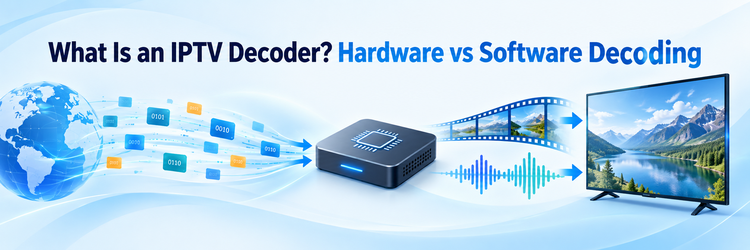
An IPTV decoder is the receiving-side function that turns compressed network media into pictures and sound. It may be a dedicated professional appliance, a chip inside a set-top box or television, a hardware accelerator in a computer, or software running on a general-purpose processor. The label describes a job, not one required product shape.
That distinction matters because playback failures can occur before, inside, or after decoding. A stream may arrive late, contain an unsupported codec, fail authorization, lose audio timing, or reach a display with the wrong HDMI mode. This guide follows the complete receive-to-screen path and compares dedicated hardware with software decoding without assuming that every device supports the same formats.
IPTV Decoder: The Short Answer
An IPTV decoder accepts compressed video and audio delivered over an IP network and reconstructs media that a television, monitor, application, or integrated system can present. I think of it as the endpoint’s reconstruction engine. It works after reception, buffering, track selection, and any authorized decryption, then passes decoded frames and audio samples toward synchronization, scaling, rendering, and physical output. It does not create the original stream or grant access to it.
Methodology and Sources
I checked the ITU IPTV terminal specification and Microsoft hardware-decoding documentation. No decoder was physically tested, so model-specific speed, compatibility, reliability, power, and latency claims are excluded.
What an IPTV Decoder Actually Does
The decoder’s narrow job is codec reconstruction: compressed samples become video frames and audio samples. Products called “IPTV decoders” often also include networking, demultiplexing, security, timing, scaling, rendering, and output control.
| Stage | Main task | Typical failure |
|---|---|---|
| Session and reception | Join multicast or request unicast/HTTP media | Timeout, authorization error, or no packets |
| Buffer and demux | Absorb jitter and separate media tracks | Stutter, missing track, or wrong language |
| Access and decode | Obtain permitted keys and reconstruct codecs | Black screen, decode error, or high CPU load |
| Synchronize and render | Align timestamps, scale, mix audio, and compose captions | Lip-sync drift, judder, or wrong aspect ratio |
| Display output | Negotiate picture and audio modes | Blank HDMI output, washed color, or silence |
A product may collapse all five rows into one box. Test each logical stage separately.
From Network Stream to Screen
Playback proceeds in order, although stages overlap once buffers are running. The endpoint must understand both delivery and encoded media.
- Establish the session: Authenticate when required, resolve the address, then join multicast or request a manifest, segment, or continuous unicast stream.
- Receive and buffer: Hold packets or segments long enough to absorb jitter, short loss bursts, and timing variation without accumulating unlimited delay.
- Demultiplex the tracks: Separate video, audio, captions, metadata, and timing from MPEG-TS, fragmented MP4, or another supported container.
- Authorize protected playback: Obtain valid entitlements and keys, then decrypt only content the viewer may receive.
- Decode the codecs: Reconstruct frames and samples for the exact codec, profile, level, bit depth, resolution, and audio layout.
- Restore timing: Use timestamps and the playback clock to align picture, sound, captions, and frame pacing.
- Process and render: Scale, deinterlace when needed, map color and HDR, compose the interface, and prepare the display mode.
- Monitor and recover: Track loss, buffer depth, errors, dropped frames, and output state; retry, conceal, resynchronize, or report failure.
Low latency reduces available recovery time. A small buffer can make channel changes feel faster, but it gives jitter, retransmission, and slow decoding less room.
Decoder vs Encoder, Demuxer, Player, and Other Roles
Product pages combine these terms. Compare what enters, what leaves, and whether the function changes compression, organization, access, or presentation.
| Term | Primary responsibility | Key distinction |
|---|---|---|
| Decoder | Reconstruct compressed video or audio | Produces playable frames and sound |
| Encoder | Compress raw or baseband media | Works at the source side |
| Transcoder | Decode and re-encode a compressed stream | Changes codec or rendition |
| Demultiplexer | Separate tracks and timing | Does not reconstruct pictures |
| Media player | Coordinate reception, controls, buffering, decoding, and rendering | Uses decoders inside a larger pipeline |
| Set-top box | Provide networking, apps, security, decoding, and outputs | A device, not only a codec engine |
| IPTV headend | Prepare authorized services upstream | Produces rather than displays streams |
| Middleware | Manage channels, users, EPG, entitlements, and sessions | Coordinates service logic |
| Tuner | Select an RF frequency or service | Not needed for purely IP delivery |
| CAM or CA client | Apply entitlement and descrambling | Supplies access, not video reconstruction |
| DRM client | Acquire and enforce playback licenses | Works with secure decoding and outputs |
An integrated television may contain almost every endpoint function in the table, yet the functional boundaries still explain which subsystem is failing.
Hardware vs Software Decoding Compared
Hardware decoding uses a fixed-function engine, system-on-chip block, GPU unit, or appliance. Software decoding executes codec logic mainly on CPU cores. Many devices are hybrid: software manages the pipeline while a driver uses an accelerator for supported pictures.
| Decision factor | Hardware decoding | Software decoding |
|---|---|---|
| Performance | Predictable for supported profiles | Depends on CPU, optimization, and other work |
| Latency | Often low, though buffers and display still matter | Can be low until load causes missed deadlines |
| Power efficiency | Usually better for sustained HD, 4K, or multiple streams | Usually consumes more CPU power |
| Codec support | Limited by silicon, firmware, driver, profile, and level | New codecs can arrive through software updates |
| Update flexibility | Firmware helps, but silicon limits remain | Libraries can change without new hardware |
| Cost | Higher appliance or accelerator cost | Can reuse compute; dense workloads raise operating cost |
| Density | Efficient within documented session limits | Scales with cores, memory bandwidth, and CPU load |
| Thermal limits | Efficient, but compact devices can still throttle | Sustained CPU use heats small devices quickly |
| Platform dependence | Relies on drivers, APIs, secure paths, and vendor support | Portable in principle; builds and performance still vary |
| Output interfaces | Appliances may provide HDMI, SDI, audio, or IP outputs | Depends on the host’s graphics and audio interfaces |
| Reliability | Appliances may add watchdogs, redundant power, and controlled software | Managed hosts can be stable; updates add variables |
| Common use | Boxes, TVs, signage, control rooms, and 24/7 channels | PCs, mobile apps, browsers, labs, and analysis |
Hardware is not automatically higher quality, and software is not automatically less reliable. Output quality depends on the codec implementation, color pipeline, scaling, deinterlacing, timestamps, and display configuration as well as the decoding method.
Codecs, Containers, and Protocols Are Separate
A codec defines compression, a container groups tracks and timing, and a protocol moves bytes. H.265 support does not prove compatibility with every HLS playlist, MPEG-TS multicast, audio track, DRM system, profile, or HDR format.
- H.264/AVC: Widely supported across older and newer endpoints, but profile, level, bit depth, reference frames, resolution, and frame rate still determine compatibility.
- H.265/HEVC: Can improve compression efficiency, especially for higher resolutions, yet requires matching decode capability, licensing, packaging, color, and HDR support across the chain.
- AV1: Designed for efficient modern streaming and high-resolution media. Availability varies, and some platforms require hardware support for practical high-resolution playback.
- MPEG-2 video: Remains relevant in legacy broadcast and hospitality systems, where replacement endpoints must preserve older transport and interlaced-video requirements.
- Audio codecs: AAC, MPEG audio, AC-3, E-AC-3, and other formats need separate decoder and output support; a valid picture does not guarantee sound.
- MPEG-TS over UDP or RTP: Common in managed live IPTV. UDP carries datagrams; RTP can add timestamps, sequence numbers, and payload identification without guaranteeing delivery.
- HLS and DASH: HTTP adaptive systems use manifests and segmented renditions. The player selects media, manages a buffer, and may switch bitrate as conditions change.
Verify profile, level, bit depth, chroma, bitrate, HDR metadata, and simultaneous-stream limits—not only a “4K” badge.
Where Decoding Runs in Real Devices
Dedicated professional decoders commonly provide continuous channel reception, monitoring, alarms, remote management, and physical outputs for contribution return feeds, confidence monitoring, signage, venues, and broadcast operations. Consumer set-top boxes combine a player, secure access, remote interface, HDMI output, and hardware decode blocks.
Smart TVs and streaming devices usually decode through their system-on-chip and platform media frameworks. PCs may use CPU software, GPU acceleration, or both. Phones and tablets prioritize battery, thermal control, secure playback, and the operating system’s supported media path. Software media players coordinate these facilities; installing a player does not add hardware capabilities that the device lacks.
Integrated systems may decode for display, multiview monitoring, analysis, recording, or conversion. If decoded video is immediately re-encoded, the whole task is transcoding even though decoding is one internal stage.
How to Choose the Right Decoder Path
Start with the stream and operational requirement, not the product label. Write down the combinations that must work simultaneously and how failure will be detected.
- Delivery input: Confirm multicast or unicast, MPEG-TS, RTP, HLS, DASH, addressing, authentication, firewall direction, and expected recovery behavior.
- Media limits: Match codec, profile, level, resolution, frame rate, bit depth, HDR, audio, captions, and peak bitrate rather than headline resolution alone.
- Access control: Verify the authorized DRM or conditional-access system, secure decode path, license rules, and permitted display outputs.
- Performance: Test channel-change time, startup, sustained playback, lip-sync, dropped frames, recovery, and all simultaneous streams with representative content.
- Interfaces: Check HDMI or SDI versions, refresh rates, EDID behavior, audio formats, network ports, remote control, APIs, and monitoring outputs.
- Operations: Include firmware or application support, security updates, configuration backup, logs, alarms, spares, power, cooling, and rollback.
The IPTV encoder guide helps confirm the upstream output that the decoder must accept. Dedicated hardware is justified when fixed interfaces, continuous operation, deterministic capacity, remote alarms, or a secure professional output path matter. A supported app or built-in client is usually enough for viewing.
Setup Checks Before First Playback
Build one known-good path before adding channels, resolutions, or automation. Record every version and setting so a later update can be compared or rolled back.
- Inspect the stream: Confirm codec, container, protocol, bitrate, audio, captions, encryption, and timestamps using authorized diagnostic information.
- Check the network: Verify addressing, DNS, routes, ports, multicast joins, IGMP behavior, VLANs, Wi-Fi conditions, and available capacity.
- Select the decoder: Prefer hardware acceleration only when the exact profile and driver path are supported; keep a tested fallback where practical.
- Configure the display: Confirm HDMI cable, input, EDID negotiation, resolution, refresh rate, HDR mode, color range, and audio destination.
- Test representative media: Use high motion, quiet audio, captions, multiple languages, channel changes, and long playback rather than one short static clip.
- Record a baseline: Save buffer, loss, CPU/GPU load, temperature, dropped-frame counts, sync, and output data for later fault comparison.
Update firmware, operating systems, drivers, and player software through trusted sources. Change one layer at a time, then repeat the same test stream.
Symptoms That Reveal the Failing Layer
Symptoms suggest a stage but rarely prove one component. Compare the stream on a second endpoint and the endpoint with a known-good stream.
| Symptom | Likely area | First useful check |
|---|---|---|
| No session or timeout | Address, credentials, routing, firewall, or server | Check whether packets or segments arrive |
| Buffering or freezes | Loss, jitter, congestion, bitrate peaks, or decode load | Compare buffers, network counters, load, and another channel |
| Black screen with audio | Video profile, secure path, renderer, or HDMI mode | Read errors and test a supported output mode |
| Picture without sound | Audio codec, selected track, passthrough, or route | Try another track and PCM output |
| Audio and video drift | Timestamps, clock, buffering, or dropped frames | Compare timing, load, and a second decoder |
| Judder or tearing | Frame pacing, refresh mismatch, or deinterlacing | Match source cadence and display refresh |
| Washed or clipped color | HDR, range, transfer function, or negotiation | Compare SDR and inspect color settings |
| One device family fails | Profile, container, DRM, driver, or platform limit | Match exact stream properties to documented support |
| HDMI output disappears | Cable, EDID, HDCP, resolution, or power state | Use a known-good cable and conservative mode |
Repeatedly reinstalling a player can erase useful evidence. Capture the error, counters, stream properties, and output mode before resetting the device.
Security, Access Control, and Legal Use
A decoder may participate in decryption, but only after an authorized client obtains the required entitlement or license. A conditional-access module, smart card, DRM client, token, or account performs access-control duties; none should be bypassed, shared improperly, or treated as permission to redistribute content.
Protect endpoint credentials, management pages, logs, playlist addresses, and license tokens. Remove default passwords, isolate administration from viewer networks, disable unused services, apply supported updates, and restrict remote access. Secure output paths may also enforce protection between the decoder and display.
The broader IPTV headend workflow shows where authorized preparation and distribution occur before decoding. Equipment ownership or a consumer subscription does not automatically grant public-performance, venue, hotel, territorial, recording, catch-up, or retransmission rights. Confirm the contract and applicable law for the intended audience and use.
Final Verdict
An IPTV decoder is the endpoint function that reconstructs compressed video and audio for presentation. Real playback also depends on session setup, buffering, demultiplexing, authorized decryption, synchronization, rendering, scaling, and display negotiation. Hardware decoding normally provides efficient, predictable processing for supported formats; software decoding normally offers faster updates and broader experimentation when enough compute is available. Choose by documenting the complete stream and output requirements, then test sustained playback, failure recovery, security, and monitoring on the actual network and display. Most viewers do not need a separate decoder appliance because their television, box, streaming device, computer, or mobile platform already contains the required decoding path.
FAQs
Is an IPTV decoder the same as a set-top box?
No. Decoding is one function. A set-top box also handles networking, applications, authorization, guide data, remote controls, storage options, and HDMI or audio output.
Do I need a separate decoder to watch IPTV?
Usually not. Smart TVs, streaming devices, boxes, computers, and mobile apps commonly include decoding. A dedicated appliance is useful when professional interfaces or continuous monitoring are required.
Is hardware decoding always better than software decoding?
No. Hardware is often faster and more efficient for supported formats. Software can support newer codecs or unusual streams, but it needs sufficient CPU capacity and cooling.
Can an IPTV decoder open every 4K stream?
No. Compatibility depends on codec, profile, level, frame rate, bit depth, chroma, HDR, bitrate, container, protocol, DRM, audio, and the display path.
What is the difference between decoding and demuxing?
Demuxing separates video, audio, captions, and timing from a container or transport stream. Decoding reconstructs the compressed samples in each selected media track.
Why does IPTV work with software decoding but not hardware decoding?
The hardware engine or driver may not support that exact profile, level, bit depth, format combination, or secure path. Software fallback can accept a broader implementation.
Does a decoder remove DRM or conditional access?
Not by itself. An authorized DRM or conditional-access client validates entitlement and supplies permitted decryption. The decoder then processes the accessible compressed media through an approved path.
Can I use a media player instead of a dedicated IPTV decoder?
Yes, when the player and device support the stream, access system, performance, and output requirements. Professional monitoring or SDI workflows may still require dedicated hardware.